
Summary:
ProviderTrust’s Historical License Verification Report allows users to access and download verified credential data from specific past dates. From the Population view, users can select an individual, choose a license type, and generate a PDF of the corresponding primary source verification. Each report includes the run date, the user who generated it, the verification query date, and provider information—ensuring comprehensive documentation for audit and compliance purposes.
Watch this 2 minute video on the DynamicNPI License History Report
Overview
The Historical License Verification Report provides transparency into previously verified license data, giving users the ability to retrieve official primary source verification records from past monitoring periods.
This feature supports compliance documentation needs, audit preparation, and historical record retention.
How to Generate a Historical License Verification Report
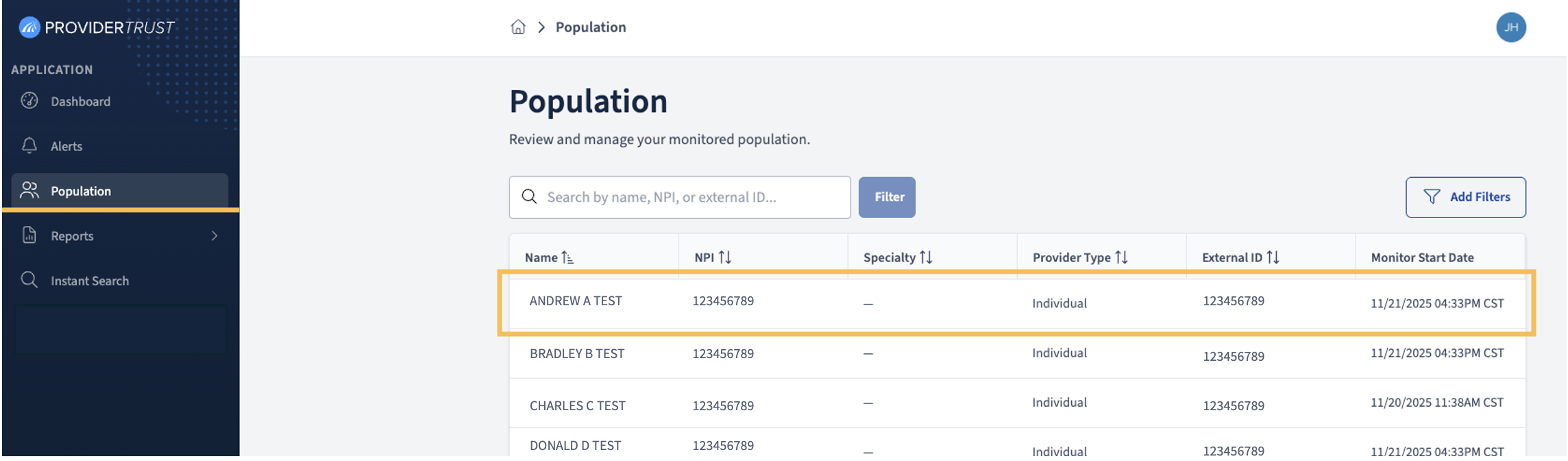
Step 1: Access the Population View
Navigate to the Population tab within your ProviderTrust account.
From this view, select the individual whose license information you would like to review.
Step 2: Open the Population Member Page
On the Population Member page, within the Population tab, you’ll see 4 options, Overview & Alerts, Profile, Credentials, and Sanctions. Click on Credentials.
From here, you can select the License History button, which brings forward the License Verification History selection interface.
Step 3: Select License Type and Date
Within the License Verification History interface, you can toggle between different monitored license types using the dropdown beside View license verification history. Use the date selector to choose the specific date for which you would like to view the verified primary source information.
Step 4: Download the Historical Verification Report
Click the Download button next to the historical verification you would like to view to generate a PDF copy of the primary source verification details.
The downloaded report includes:
Date Generated – The date the report was generated
User (who generated report) – The name of the user who created the report
Organization Name – The date the primary source was verified
Date Searched – The provider’s name, license details, and issuing board
Provider Information – Including Name (if client-supplied), NPI, DOB (if client-supplied), and Montior Start Date
Primary Source Screenshot – Timestamped with verification date
This document serves as a verifiable record for audit and compliance documentation purposes.
Comments
0 comments
Please sign in to leave a comment.